Ongoing Development Flow of Internal React Apps with Cursor and Linear
As I wrote in the previous article, the developments with Cursor gave rise to an opportunity to replace spreadsheets with React apps, while saving on time and brainpower. In this article, I’ll share more tips on what happens after the app is developed. Inevitably, you will discover bugs and room for improvement for it to match your vision precisely.
As you use your app in daily life, you need to collect your bugs and ideas somewhere. This is where Linear comes in. Here are some tips:
- It has a mobile app to collect the bugs and features about the app while on the go.
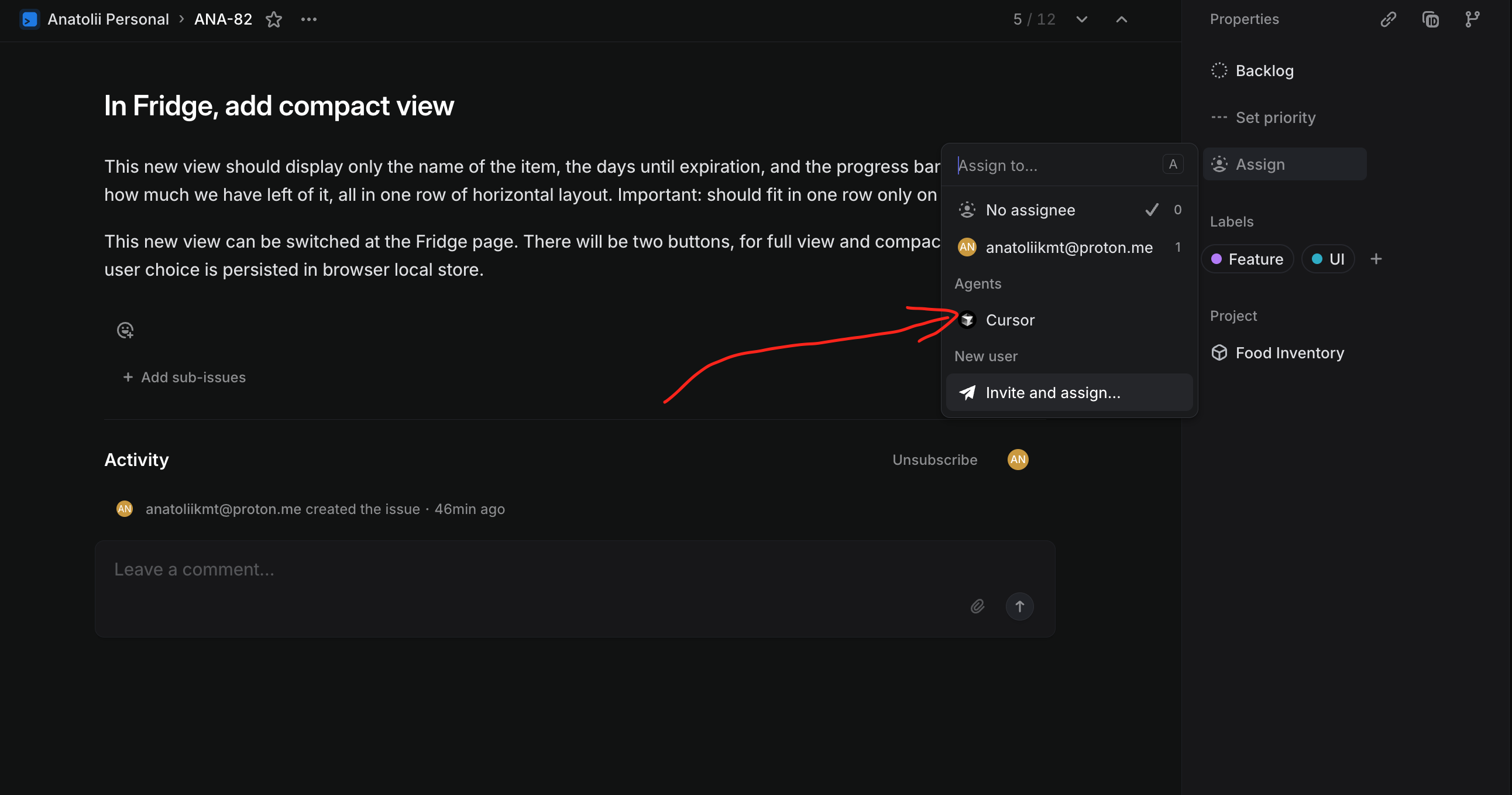
- Integrates with Cursor and GitHub. If you connect it to both, you will be able to assign Cursor cloud agents to your issues, and they will work on them and submit a PR with the changes.
- If your app is deployed to Vercel, each PR to your app’s repo will be automatically deployed to a preview URL.
- All of the above means that you can do the development on your app, preview and accept changes, without ever opening your IDE - even from your mobile phone while on the go.
- Caveat: Cursor Cloud Agents exclusively use MAX models, which consume three times more credits than the standard models you would use in an IDE. If you want to save on costs, you can still track issues in Linear and resolve them within Cursor. Cursor connects to Linear via MCP, allowing it to fetch all issue details directly.
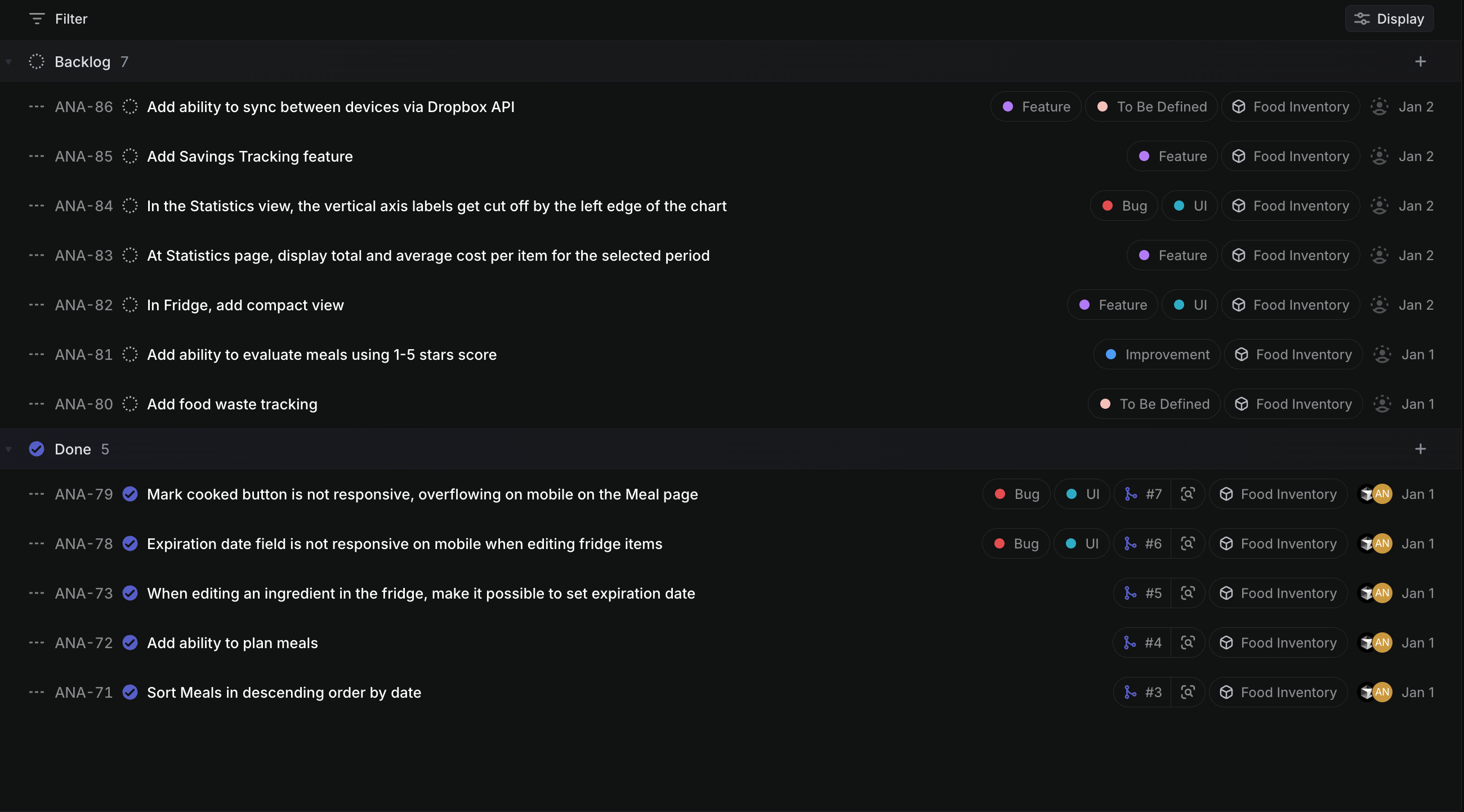
For example, here is what my tracker looks like for one internal app I made for cooking. Items tagged “To Be Defined” are just ideas that require further specification, while all the other items can immediately be assigned to a Cursor cloud agent for development.
The workflow I am using is as follows:
- Develop an app in Cursor as described in the Replacing Spreadsheets with React Apps article.
- Use it on both Desktop or Mobile platforms.
- In everyday life, whenever I have an idea for a feature or notice a bug, I log it in Linear.
- Whenever I deem it necessary to implement an issue, I assign it to a Cursor agent. If the bug is annoying, I may even do it from my mobile phone while away from my PC to get a hot fix fast.
As for connecting GitHub, Linear and Cursor, you can find more information on how to do it in the documentation of those platforms.
The above flow effectively makes it possible to update your internal apps from your mobile phone, which is not easily possible to do with spreadsheets - making React apps an even more sensible alternative to spreadsheets.